Taking the ABR Remote Core Exam in 2026? This Ten-Point Checklist Is for You
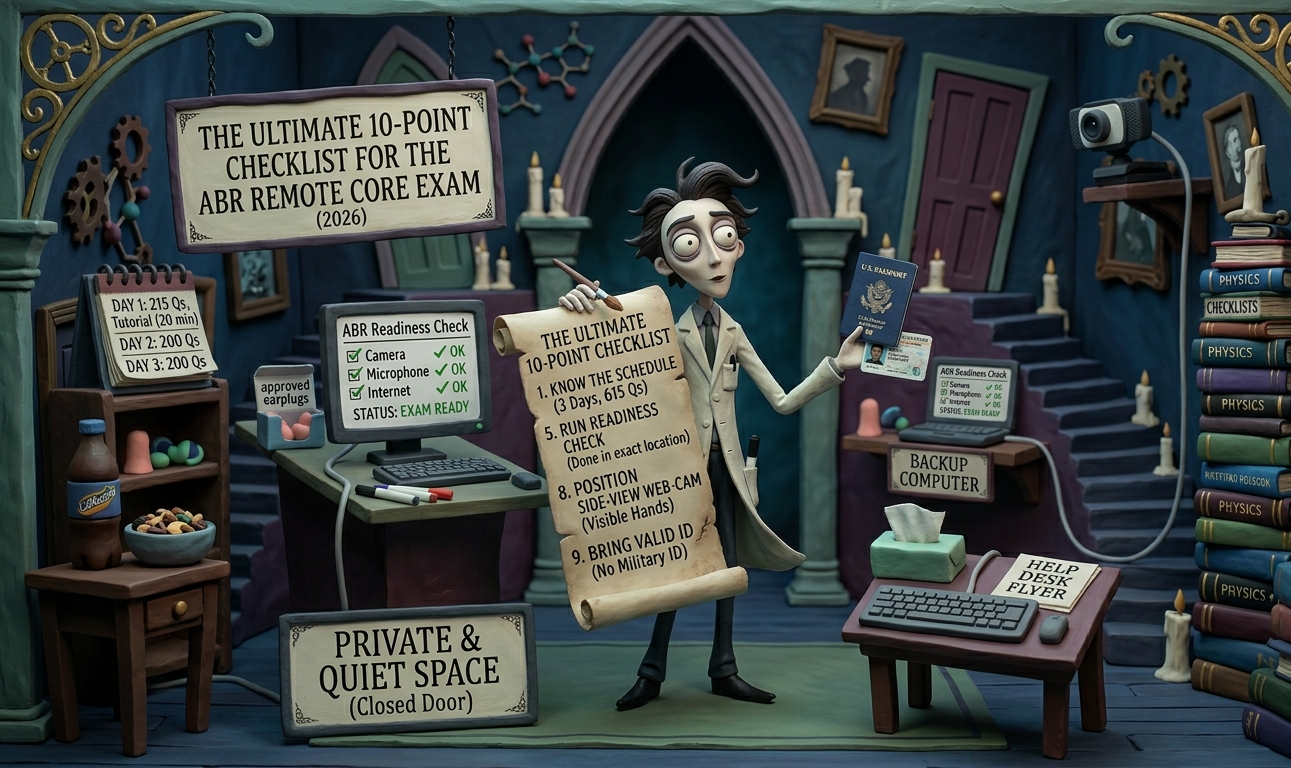
Checklists: if they're good enough for pilots, they're good enough for the ABR Core Exam
Taking an exam from your own room sounds straightforward, right? Well, hopefully. The American Board of Radiology (ABR) administers its Qualifying (Core) Exam for Diagnostic Radiology and IR/DR in a remote format — and while you probably know how to open a browser and answer multiple choice questions, logistics can absolutely trip you up on exam day if you're not prepared.
The ABR's definitive guide to the remote exam is here. We scoured the 2026 version of this guide (revised February 23, 2026) and distilled it into a ten-point checklist so you can focus your energy on studying, not scrambling.
1. Know the schedule — it's a 3-day exam.
The 2026 Core Exam spans 3 days with 615 total questions. Each day has two sessions (a and b) separated by a mandatory 60-minute intermission. Here's how it breaks down:
| Day | Session | Questions | Exam Time | Break Time |
|---|---|---|---|---|
| 1 | a | 111 | 2 hr 1 min | 15 min |
| 1 | b | 104 | 1 hr 53 min | 10 min |
| 2 | a | 111 | 2 hr 1 min | 15 min |
| 2 | b | 90 | 1 hr 38 min | 10 min |
| 3 | a | 115 | 2 hr 5 min | 15 min |
| 3 | b | 84 | 1 hr 31 min | 10 min |
Day 1 is the longest at 215 questions. Day 1, Session a also includes 20 minutes of tutorial/practice time. The total allotted time across all 3 days is about 15 hours and 44 minutes.
Critical detail about breaks: You decide when and how many breaks to take within each session. If you exceed your allotted break time, you can still take breaks — but your exam clock keeps counting down. And here's the big one: after returning from a break, you will not be allowed to change or add a response to any question you viewed before the break. That includes answered, unanswered, and flagged questions. Make sure you've answered everything you've seen before hitting that break button.
Intermission note: The 60-minute intermission between sessions is mandatory. Finishing session a early does not let you start session b early. You'll be logged out of the exam and will need to re-establish your remote connection for the next session.
2. Set up your space.
You can take the exam anywhere, provided the space is private and quiet — meaning you're alone, away from other people, and free from background noise and interruptions. ABR staff will view exams live and review recordings afterward. You may be asked to perform a workspace scan during the exam.
Brief or sporadic interruptions (the FedEx guy knocking) will likely be deemed inconsequential, but plan to minimize them.
3. Know what's allowed in your room — and what's not.
Permitted:
- One monitor only. If you're on a desktop, only one monitor may be connected. If you're on a laptop with an auxiliary monitor, you must disable the laptop screen.
- Cell phone or mobile device — keep it out of arm's reach. It's there in case you need to contact the ABR about a connectivity issue or they need to contact you. No other use during the exam. You can use it during breaks and intermissions.
- Whiteboard (max 18 inches on one side), dry erase markers, and an eraser. Not required, but many residents prefer it. The whiteboard must be clean at the beginning and end of each session. Practice with your whiteboard and markers well ahead of time.
- Beverages and snacks
- Facial tissue
- ABR Exam Day Help Desk Flyer
- Permitted personal items — a full list including medicine, medical devices (glucose monitors, insulin pumps, inhalers, etc.), communication aids (hearing aids, cochlear implants), mobility devices, earplugs (approved options only — check the ABR site), eyeglasses, and more. No formal accommodation request is needed for these items.
Not permitted:
- Other people in the room
- Books, notes, or study materials
- Cameras, digital whiteboards, or recording devices (other than your webcam and phone)
- Calculator (the exam software includes one)
- Scratch paper, pens, or pencils
- Headphones, earbuds (AirPods)
4. Get your whiteboard ready.
This one deserves its own item. The ABR allows a physical whiteboard no larger than 18 inches on one side. Something like an 8.5" × 11" dry erase board works well. Pick up fine-tip dry erase markers so you can write legibly, and don't forget an eraser. (See our ABR exam day shopping list for specific product recommendations.)
The whiteboard must be blank at the start and end of each session. Practice with it beforehand — you don't want your first experience writing physics equations on a slippery whiteboard to be during the exam.
5. Run the Exam Readiness Check on your exam-day computer.
After you register in myABR, you'll receive an email with an authenticated link to the Exam Readiness Check. This is your single most important pre-exam step. It simulates the actual exam experience: the interface, navigation, image manipulation tools, case navigation, flagging questions, starting and ending breaks, and question content blocking after breaks.
The Readiness Check also performs a technical verification of your microphone, webcam, internet connection, and browser. You may need to download an updated version of Chrome or Edge.
After completing the Readiness Check, you'll unlock Sample Questions designed to familiarize you with question types and navigation — not to test your content knowledge.
Do the Readiness Check in the exact location and on the exact computer you plan to use on exam day. If you change your setup afterward, do it again.
If you're testing at a hospital or work institution, contact your IT department and ask them to whitelist all required sites. The necessary information is on the ABR's Remote Exams page.
6. Check your hardware.
Basic computer requirements for the 2026 exam:
- Computer: Desktop or laptop (no tablets) with Windows 10 or macOS 10.11 or higher
- RAM: Minimum 4 GB
- Storage: Minimum 10 GB free disk space
- Monitor: ≥ 13" and 1080p minimum
- Audio: Microphone and computer speakers
- Webcam: Minimum 640 × 480 at 10 fps (used for proctoring — virtual backgrounds are not permitted)
- Browser: Latest version of Google Chrome or Microsoft Edge
- Keyboard and mouse
- Internet: Reliable broadband connection
Run the Monitor Performance Self-Check — it displays imaging findings to help you confirm your monitor can adequately display radiology images. You'll find it under the "Testing Your Setup" section of the ABR Remote Exams page.
The ABR is very clear: you assume full responsibility for ensuring your computer setup meets requirements. ABR staff will not provide individual technical support for your setup.
7. Get a backup computer ready.
This is your big day. If your computer freezes or crashes, you don't want that to be the reason you lose time. Figure out how to borrow a backup computer that meets the same specs. Run the Exam Readiness Check on it too if possible. It's cheap insurance for a high-stakes day.
8. Set up your side-view webcam.
This is a requirement, not a suggestion. Failure to use a side-view webcam will result in your exam being invalidated.
The side-view webcam must show:
- You, your hands, and your mouse (keep your hands visible)
- The entire surface of your workspace, including all devices and the exam screen
- Your dry erase whiteboard, if you're using one
Placement instructions:
- Position the webcam at least 2 feet above the workspace surface
- Place it 4–6 feet from where you're sitting
- Use a webcam cord at least 6 feet long (you may need an extension)
- Only one keyboard and one mouse are allowed
The ABR has a demonstration video on their Remote Exams page showing acceptable and unacceptable setups. Common mistakes: camera too close, not showing the full screen, not showing the workspace, or using a front-facing angle instead of a side view.
Important: Before you buy a webcam or extension cable, check whether your computer has USB-A or USB-C ports — getting this wrong means your webcam won't plug in on exam day. Our ABR exam day shopping list has a side-by-side table so you can pick the right gear for your setup.
Set this up well before exam day and test it during the Readiness Check.
9. Bring your ID.
You'll need to present identification through the exam software. The first time you enter (during the Readiness Check or on exam day), you'll scan your ID and take a selfie with a mobile device. Each subsequent login requires a selfie via webcam or mobile device for identity verification.
Acceptable forms of ID (must include your signature and a recent photo, with name and photo on the same side, and must not be expired):
- Valid U.S. driver's license
- Valid U.S. state-issued identification card
- Valid passport or passport card
Your personal information is encrypted and permanently deleted within 24 hours of verification.
10. Bring caffeine and a snack — and stay relaxed.
Core Physics Review instructor Ram Srinivasan MD PhD recommends the combination of caffeine and a snack to help maintain focus across the long exam days. Srinivasan himself used diet Coke from a twist-top bottle and trail mix during all three of his ABR exams — Core, Certifying, and NeuroCAQ — but cautions that diet drinks may cause headaches. Unsweetened teas or coffee might be a solid alternative depending on personal preference.
Whatever you choose, test it during a study session first. You don't want to discover that your snack is crinkly enough to distract you or that your drink triggers a bathroom emergency at the wrong time.
Stay relaxed and focused on exam day. You've put in the work. You've got this.
Bonus: How scoring works
Results for the Core Exam are posted within approximately one month. The exam is scored using criterion-referenced standards — meaning a passing threshold is set in advance. The exam is not graded on a curve, and there is no set percentage of failures. All sections are scored together; there is no separate conditioning of individual sections. Results are posted in myABR.
Gear up for exam day
Need to buy your webcam, whiteboard, earplugs, and other exam-day supplies? We put together a complete ABR exam day shopping list with USB-A and USB-C options for every item, so you don't end up with gear that won't plug into your computer.
Preparing for the physics portion of the Core Exam? Core Physics Review is used by radiology programs across the country to help residents master physics for the ABR Core Exam.