ABR Remote Core Exam Shopping List: Everything You Need for Exam Day (2026)
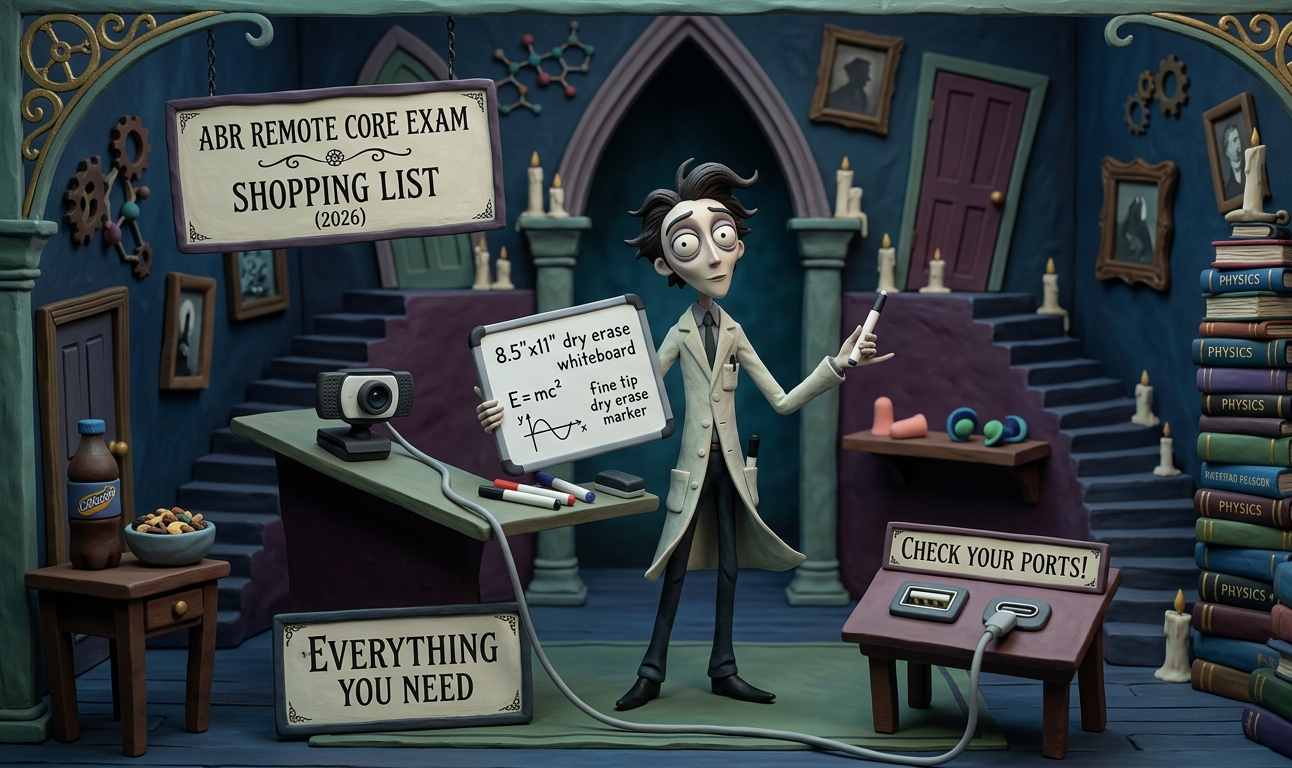
You've studied for months. Don't let a wrong USB cable ruin your morning.
The ABR remote Core Exam requires a few specific pieces of gear — a side-view webcam, a whiteboard, and a few other items — and the rules about what's allowed are strict. This is the complete shopping list, with links, so you can order everything in one sitting and get back to studying.
If you haven't already read it, our ten-point checklist for the remote Core Exam covers the full exam day logistics, schedule, and rules. This post is just the gear.
⚠️ First: Check your computer's USB ports.
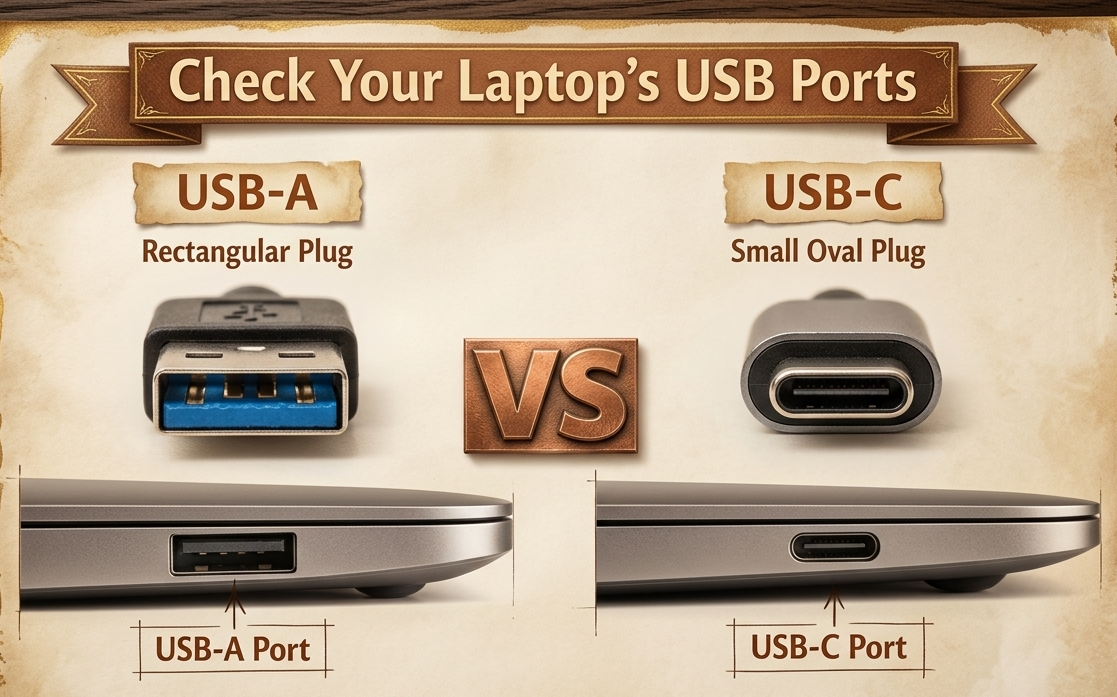
This is the single most important step before you buy anything on this list. Look at the USB ports on your exam-day computer. Are they USB-A (the old rectangular plug) or USB-C (the small oval plug)? If you get this wrong, your webcam won't connect on exam day and you'll be scrambling.
- Most desktops have USB-A ports.
- Most newer laptops (especially MacBooks from 2016 onward, and many Windows ultrabooks) have only USB-C ports.
- Some laptops have both — but check which ones are available, because you'll also need a port for your mouse.
Once you know your port type, pick the matching column below for your webcam and extension cable. Everything else on this list is the same regardless of port type.
Side-view webcam + extension cable
The ABR requires a dedicated side-view webcam that displays your entire testing area — you, your hands, your mouse, your screen, and your workspace. Failure to use one will invalidate your exam. Your laptop's built-in webcam won't work for this; the camera needs to be positioned 4–6 feet away from you and at least 2 feet above your desk surface.
Most webcam cords are only 5–6 feet long. Since the webcam sits 4–6 feet away from you and the cord needs to reach back to your computer, you'll almost certainly need an extension cable. Buy both at the same time so you can test the complete setup.
Pick the setup that matches your computer's ports:
If your computer has USB-A ports:
- Webcam: EMEET C960 1080P Webcam (USB-A)
- Extension cable: Monoprice USB-A 3.0 Extension, 6ft — the cable the ABR references on their Remote Exams page
- Not enough ports? Anker 4-Port USB-A Hub — so you can plug in your webcam, mouse, and anything else at the same time
If your computer has USB-C ports:
- Webcam: USB-C 1080P Webcam with 6ft cord and tripod
- Extension cable: DteeDck USB-C Extension Cable, 6.6ft
- Not enough ports? Anker 4-Port USB-C Hub — essential for MacBook Air and similar two-port laptops that need webcam, mouse, and charger on the same port
Already own a USB-A webcam but have a USB-C-only computer? You can use a Syntech USB-C to USB-A Adapter (2-pack) — it's the #1 best seller in the category and specifically designed to fit side-by-side on MacBook ports. Test the full chain before exam day: webcam (USB-A) → extension cable (USB-A) → adapter → computer. If it doesn't work reliably, buy a native USB-C webcam instead.
Test everything on your exam-day computer now. Plug in your webcam, open your camera app or run the ABR Exam Readiness Check, and confirm the side-view feed looks right. Don't discover a compatibility issue at 7 AM on Day 1.
Dry erase whiteboard
The ABR allows up to 18 inches on one side — use as much of that space as your desk can handle. A larger board means more room for equations and diagrams and less time erasing mid-session. It must be clean at the beginning and end of each session.
- Large option: MaxGear Double-Sided Dry Erase Board, 16" × 12" — maximizes the allowed size, double-sided, comes with markers and magnets
- Compact option: Amazon Basics Small Dry Erase Whiteboard, 8.5" × 11" — if desk space is tight
The whiteboard must be clean at the beginning and end of each exam session. Scratch paper, pens, and pencils are not permitted. The exam software includes a text-based notepad, but many residents find a physical whiteboard more natural for sketching diagrams and working through physics equations.
Fine tip dry erase markers + eraser
Skip the fat chisel-tip markers — they're too thick for equations and small notes on a portable whiteboard. You want pen-style fine tip markers that feel natural to write with.
- EXPO Low Odor Fine Tip, Black, 4-pack — pen-sized barrel, fine tip, writes like a normal pen but on a whiteboard. Grab a separate small eraser or use a tissue.
- EXPO Ultra Fine Tip, Black, 4-pack — even thinner line, closest to a ballpoint feel. Better for cramming more detail onto the board, but the line can look faint from a distance.
Bring at least two working markers on exam day. Dry erase markers can dry out without warning, and the last thing you want is to lose your whiteboard mid-session because your only marker died.
Earplugs
The ABR allows earplugs, but only specific styles — nothing electronic, nothing that goes over the ear. Their Remote Exams page links to approved examples. You don't need to buy these exact brands, but the ABR recommends choosing something similar in style.
- Huffbio Soft Foam Ear Plugs — ABR-referenced option
- Flents Protechs Reusable Sport Ear Plugs — ABR-referenced option
If you're sensitive to ambient noise, earplugs can make a meaningful difference over a 5+ hour exam day — especially if you're testing at home and can hear the neighbors, HVAC, or traffic.
Caffeine and snacks
Beverages and snacks are explicitly permitted during the exam. Bring something that keeps you focused without creating noise or mess.
- Twist-top bottle of your preferred caffeinated beverage — no cans (the pop is surprisingly loud on the webcam mic). Core Physics Review instructor Ram Srinivasan MD PhD used diet Coke from a twist-top bottle and trail mix during all three of his ABR exams — Core, Certifying, and NeuroCAQ — but cautions that diet drinks may cause headaches. Unsweetened teas or coffee in a thermos might be a solid alternative depending on personal preference.
- Trail mix, granola bar, or something low-crinkle. Avoid anything in a noisy wrapper that will make you self-conscious about eating on camera.
Whatever you choose, test it during a study session first. You don't want to discover that your snack triggers a bathroom emergency right when you're in the middle of a session.
The complete list at a glance
| Item | Required? | Est. Cost |
|---|---|---|
| Side-view webcam (USB-A or USB-C) | Yes | $15–30 |
| USB extension cable (matching your port type) | Likely | $7–12 |
| Dry erase whiteboard, 8.5" × 11" | Recommended | $5–10 |
| Fine tip dry erase markers (2+) | Recommended | $4–8 |
| Earplugs (ABR-approved style) | Optional | $5–10 |
| Caffeinated beverage (twist-top) | Optional | $2–5 |
| Snack (low-crinkle) | Optional | $2–5 |
Total cost for everything: roughly $40–80, depending on what you already have. A small price to avoid logistical headaches on the most important exam of your training.
Preparing for the physics portion of the Core Exam? Core Physics Review is used by radiology programs across the country to help residents master physics for the ABR Core Exam.